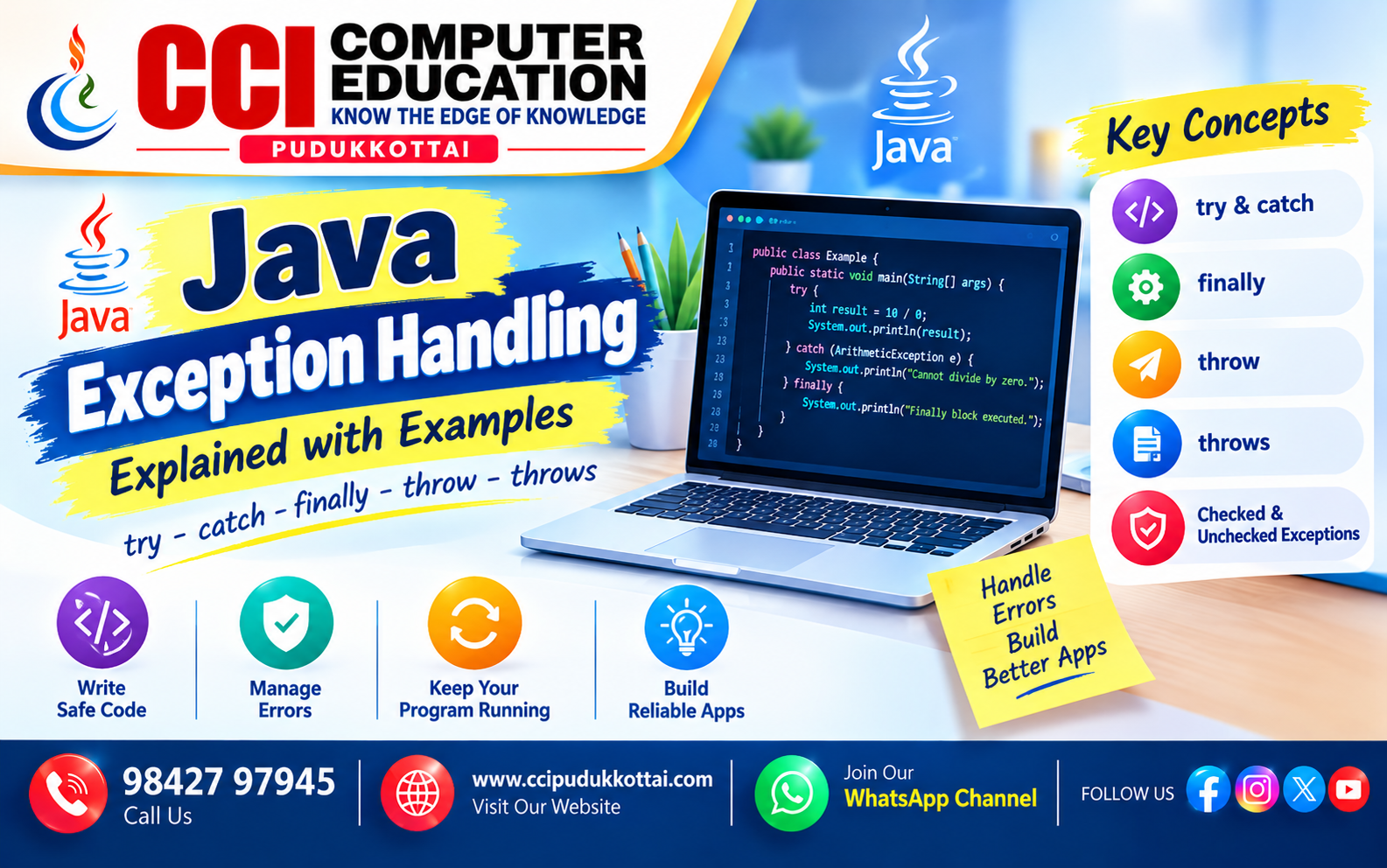
Java Exception Handling Explained with Examples: try, catch, finally, throw and throws
Published: 26 Oct, 2026 | Author: CCI Admin | Category: Java / Programming
While writing Java programs, you may encounter errors such as dividing a number by zero, accessing an invalid array index, or trying to open a file that does not exist. These situations can interrupt the normal execution of a program.
Java provides a mechanism called exception handling to help developers detect and manage exceptional situations. In this guide, you will learn the important exception-handling keywords, common exception types, practical Java examples, and best practices.
What Is Exception Handling in Java?
An exception is an event that occurs during program execution and disrupts the normal flow of instructions. Exception handling allows a program to respond to such situations instead of leaving them unmanaged.
For example, if a user enters zero as a divisor, a Java program can catch the resulting arithmetic exception and display a meaningful message.
Why Is Exception Handling Important?
- Helps manage unexpected situations during execution.
- Allows developers to display meaningful error messages.
- Can help an application continue when recovery is possible.
- Supports reliable resource cleanup, such as closing files.
- Makes error-handling logic easier to organize and maintain.
Five Important Exception-Handling Keywords in Java
Java provides five commonly used keywords for exception handling:
try, catch, finally,
throw, and throws.
| Keyword | Purpose |
|---|---|
| try | Encloses code that may throw an exception. |
| catch | Handles a matching exception. |
| finally | Runs cleanup code when control leaves the try-catch structure, subject to JVM termination. |
| throw | Explicitly throws an exception object. |
| throws | Declares exceptions that a method may pass to its caller. |
1. try and catch in Java
The try block contains code that may throw an exception.
The catch block handles the exception when its type matches
the exception thrown.
Example: Handling Division by Zero
public class ExceptionExample {
    public static void main(String[] args) {
        try {
            int a = 10;
            int b = 0;
            int result = a / b;

            System.out.println("Result: " + result);
        } catch (ArithmeticException e) {
            System.out.println("Cannot divide by zero.");
        }

        System.out.println("Program continues.");
    }
}
Output
Cannot divide by zero.
Program continues.
Dividing an integer by zero causes an
ArithmeticException. The matching catch block handles it,
allowing execution to continue after the try-catch structure.
2. Multiple catch Blocks
A single try block can be followed by multiple catch blocks to handle different exception types separately. More specific exception types must appear before their more general parent types.
Example: Handling Different Exceptions
public class MultipleCatchExample {
    public static void main(String[] args) {
        try {
            int[] numbers = {10, 20, 30};

            System.out.println(numbers[5]);
        } catch (ArrayIndexOutOfBoundsException e) {
            System.out.println("Invalid array index.");
        } catch (ArithmeticException e) {
            System.out.println("Arithmetic error occurred.");
        }

        System.out.println("Program completed.");
    }
}
Output
Invalid array index.
Program completed.
The array contains only three elements, so index 5 is invalid.
Java throws an ArrayIndexOutOfBoundsException, which is
handled by the first catch block.
3. finally Block in Java
The finally block is commonly used for cleanup operations,
such as releasing resources. It normally executes whether an exception
occurs or not, provided the JVM does not terminate before it can run.
Example
public class FinallyExample {
    public static void main(String[] args) {
        try {
            int result = 10 / 2;
            System.out.println("Result: " + result);
        } catch (ArithmeticException e) {
            System.out.println("Arithmetic error occurred.");
        } finally {
            System.out.println("Finally block executed.");
        }
    }
}
Output
Result: 5
Finally block executed.
The finally block executes after the try-catch structure in this example. For managing files and other closeable resources, Java also supports try-with-resources, which automatically closes declared resources.
4. throw Keyword in Java
The throw keyword is used to explicitly throw an exception
object when a particular condition occurs.
Example: Validating Age
public class ThrowExample {
    public static void main(String[] args) {
        int age = 15;

        try {
            if (age < 18) {
                throw new IllegalArgumentException(
                    "Age must be 18 or above."
                );
            }

            System.out.println("Eligible.");
        } catch (IllegalArgumentException e) {
            System.out.println(e.getMessage());
        }
    }
}
Output
Age must be 18 or above.
When age is below 18, the program throws an
IllegalArgumentException. The catch block displays its
message. This is an illustrative validation example, not a complete
age-verification system.
5. throws Keyword in Java
The throws keyword is written in a method declaration to
indicate exceptions that may be passed to the calling method. It is
commonly used with checked exceptions.
Example: Using throws with IOException
import java.io.IOException;

public class ThrowsExample {
    static void checkFile() throws IOException {
        throw new IOException("Unable to read the file.");
    }

    public static void main(String[] args) {
        try {
            checkFile();
        } catch (IOException e) {
            System.out.println(e.getMessage());
        }
    }
}
Output
Unable to read the file.
The method declares throws IOException. The calling method
uses try-catch to handle the exception.
Difference Between throw and throws
| throw | throws |
|---|---|
| Used to throw an exception object. | Used to declare exceptions in a method signature. |
| Appears inside a method or code block. | Appears in a method declaration. |
Example: throw new IOException(); |
Example: void readFile() throws IOException |
6. Checked vs Unchecked Exceptions
Java exceptions are commonly categorized as checked and unchecked exceptions. The compiler requires checked exceptions to be caught or declared when they may be thrown, subject to Java's exception rules.
| Checked Exceptions | Unchecked Exceptions |
|---|---|
| Checked by the compiler. | Not required to be caught or declared by the compiler. |
| Often represent conditions an application may anticipate and handle. | Often indicate invalid operations or programming mistakes. |
IOException, SQLException |
ArithmeticException, NullPointerException |
Note: Errors such as OutOfMemoryError belong to the
Error hierarchy rather than the ordinary checked/unchecked exception
categories.
7. Common Java Exceptions
| Exception | Typical Cause |
|---|---|
| ArithmeticException | An invalid arithmetic operation, such as integer division by zero. |
| NullPointerException | Using a null reference where an object is required. |
| ArrayIndexOutOfBoundsException | Accessing an array with an invalid index. |
| NumberFormatException | Converting a string that is not a valid number. |
| IOException | An input/output operation fails. |
8. Best Practices for Exception Handling
- Catch specific exception types whenever possible.
- Display useful error messages without exposing sensitive information.
- Do not leave catch blocks empty without a clear reason.
- Use try-with-resources for resources such as files and streams that implement AutoCloseable.
- Avoid using exceptions as a substitute for ordinary program logic.
- Validate user input before processing it.
Real-World Applications of Exception Handling
- Banking applications handling invalid transactions.
- Student management systems validating marks and records.
- Web applications handling database and network failures.
- File-processing applications handling missing or inaccessible files.
- Billing systems handling invalid input and calculation errors.
Faculty Tip from CCI Computer Education
Students should first practise simple try-catch examples, then learn finally, multiple catch blocks, throw, and throws. After understanding these keywords, create a mini project such as a student mark calculator that validates input and handles invalid values safely.
Practice Tasks for Students
- Write a Java program to handle division by zero.
- Handle an invalid array index using try-catch.
- Write a program that uses a finally block.
- Create a method that declares IOException using throws.
- Validate a student's mark and throw an exception for an invalid value.
Frequently Asked Questions (FAQs)
1. What is exception handling in Java?
Exception handling is a mechanism for responding to exceptional conditions during program execution using constructs such as try, catch, and finally.
2. What is the difference between an error and an exception?
Exceptions represent conditions an application may be able to handle. Errors generally represent serious problems that applications do not usually attempt to recover from.
3. Can a try block have multiple catch blocks?
Yes. A try block can have multiple catch blocks for different exception types. Catch blocks must be ordered so that a more general type does not prevent a later, more specific type from being reached.
4. Is the finally block always executed?
The finally block normally executes when control leaves the try-catch structure. It may not run if the JVM terminates before reaching it.
5. What is the difference between throw and throws?
The throw keyword explicitly throws an exception object, while throws declares exceptions that a method may pass to its caller.
Conclusion
Java exception handling is an essential programming skill that helps developers manage unexpected conditions and build more reliable applications. Understanding try, catch, finally, throw, and throws makes it easier to identify problems and respond appropriately.
Practise the examples and apply exception handling in your own Java mini projects to strengthen your programming skills.
What to Learn Next
- Java Collections Framework
- Java File Handling
- Java Custom Exceptions
- Java OOP Concepts with Real-World Examples
Related CCI Blogs
- Introduction to Java Programming
- Java Variables and Data Types
- Java Classes and Objects
- Java Constructors Explained with Simple Examples
- Java Methods – Create Reusable Code with Simple Examples
Learn Java Programming at CCI Computer Education
Want to improve your Java programming skills and build practical applications? CCI Computer Education, Pudukkottai, supports students through structured learning, programming practice, and project-based training.
Contact CCI Computer Education – Pudukkottai
Call: 98427 97945
Website:
www.ccipudukkottai.com
WhatsApp Channel: Join Our WhatsApp Channel
CCI Computer Education – Learn Today, Build Tomorrow.