JavaScript Functions Explained – Learn Functions with Simple Examples
Published: 31 Aug, 2026 | Author: CCI Admin | Category: Web Development / JavaScript
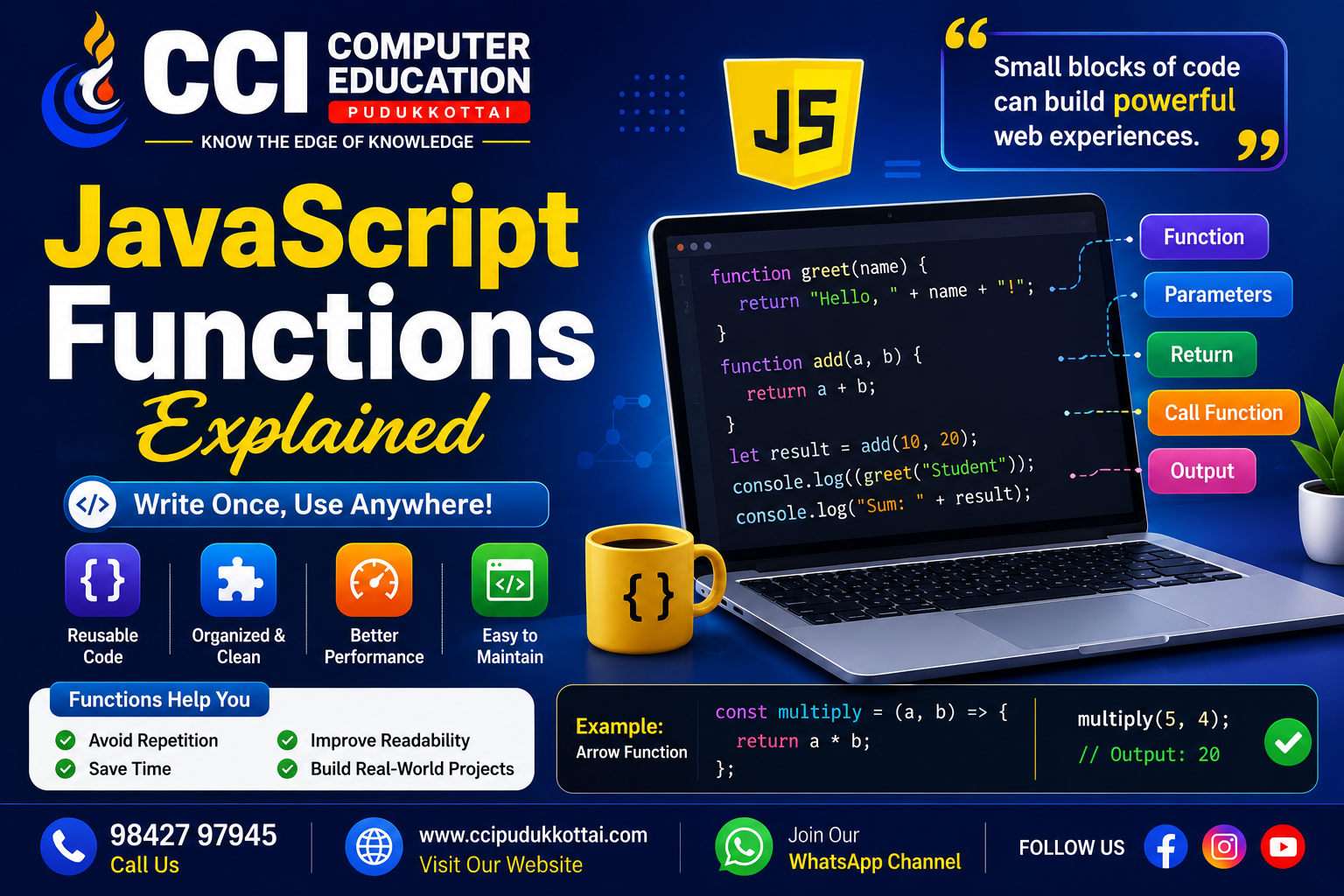
Functions are one of the most important concepts in JavaScript. A function allows developers to group a set of instructions together and reuse them whenever needed. Instead of writing the same code multiple times, we can create a function once and call it whenever required.
Functions help make JavaScript programs more organized, reusable, and easier to understand. They are widely used in websites, web applications, games, and modern software development.
What is a JavaScript Function?
A function is a block of code designed to perform a specific task. The code inside the function runs only when the function is called.
function greet() {
    console.log("Welcome to CCI Computer Education");
}

greet();
In this example, greet() is the function name. When the function is called, it displays the message in the console.
Why Are Functions Important?
Functions help developers avoid repeating the same code. They also make programs easier to manage and divide large programs into smaller, meaningful tasks.
- Functions help reuse code.
- They make programs more organized.
- They reduce code repetition.
- They make debugging easier.
- They improve code readability.
- They help divide large programs into smaller tasks.
Function Syntax
A basic JavaScript function is created using the function keyword.
function functionName() {
    // Code to execute
}
The function can then be executed by calling its name.
functionName();1. Function Without Parameters
A simple function can perform a task without receiving any values.
function welcome() {
    console.log("Welcome to JavaScript");
}

welcome();
2. Function with Parameters
Parameters allow us to pass information into a function.
function greet(name) {
    console.log("Hello " + name);
}

greet("Arun");
greet("Priya");
Here, name is a parameter. Different values can be passed when calling the function.
3. Function with Multiple Parameters
A function can receive more than one parameter.
function add(a, b) {
    console.log(a + b);
}

add(10, 20);
Output:
304. Function with Return Value
Sometimes a function needs to return a result. The return keyword is used for this purpose.
function multiply(a, b) {
    return a * b;
}

let result = multiply(5, 4);

console.log(result);
Output:
205. Real-World Example
Functions are useful for performing repeated tasks in real-world applications.
function calculateTotal(price, quantity) {
    return price * quantity;
}

let total = calculateTotal(500, 3);

console.log("Total Amount: " + total);
This example calculates the total price based on the product price and quantity.
6. Function Expression
A function can also be stored inside a variable. This is called a function expression.
const greet = function() {
    console.log("Hello Students");
};

greet();
7. Arrow Functions
Modern JavaScript provides arrow functions as a shorter way to write functions.
const greet = () => {
    console.log("Welcome to JavaScript");
};

greet();
Arrow functions are commonly used in modern JavaScript applications.
Arrow Function with Parameters
const add = (a, b) => {
    return a + b;
};

console.log(add(10, 5));
Function vs Repeated Code
Without functions, developers may need to write the same code repeatedly.
console.log("Welcome Student");
console.log("Welcome Student");
console.log("Welcome Student");
Using a function makes the code cleaner.
function welcome() {
    console.log("Welcome Student");
}

welcome();
welcome();
welcome();
Common Uses of JavaScript Functions
- Form validation
- Button click events
- Calculations
- Displaying messages
- Processing user input
- Fetching data from APIs
- Updating website content
- Building interactive web applications
Simple Button Click Example
Functions are commonly connected with HTML events.
<button onclick="showMessage()">
    Click Me
</button>

<script>
function showMessage() {
    alert("Welcome to CCI Computer Education!");
}
</script>
When the user clicks the button, the showMessage() function is executed.
Tips for JavaScript Beginners
- Use meaningful function names.
- Keep functions focused on one task.
- Practice functions with parameters.
- Understand the difference between parameters and arguments.
- Practice using return values.
- Try both regular and arrow functions.
- Use functions in small real-world projects.
Learn JavaScript Through Practical Training
At CCI Computer Education, Pudukkottai, students can learn JavaScript through simple explanations, coding exercises, and practical web development projects.
Students can start with JavaScript fundamentals and gradually learn DOM manipulation, events, functions, objects, APIs, and modern web development concepts.
Conclusion
Functions are essential in JavaScript programming because they help developers organize and reuse code. Understanding functions is an important step toward building interactive and dynamic websites.
Start by creating simple functions, practice parameters and return values, and gradually explore advanced concepts such as arrow functions and callback functions.
What's Next?
In our next JavaScript tutorial, we will explore JavaScript Arrays and learn how to store, access, and manage multiple values using simple examples.
Related CCI Blogs:
JavaScript Variables and Data TypesCall: 98427 97945 | Website: ccipudukkottai.com | WhatsApp Channel: Join Now
Share: Facebook | WhatsApp | Twitter